
Reliable backups are an essential component of maintaining a stable, secure, and recoverable IT environment. Leveraging Veeam Backup Manager, I established a robust backup solution for the virtual machines hosted on my Dell PowerEdge R730. This setup ensures comprehensive protection, ease of recovery, and minimal data loss risk.
Ideal for both homelab enthusiasts and IT professionals, Veeam Backup Manager simplifies the backup process by providing automated, scheduled backups directly managed from my local PC. This solution offers peace of mind by protecting critical virtual infrastructure and significantly reducing the complexity of disaster recovery scenarios.
Project Details
Key components and technologies utilized:
- Veeam Backup Manager: Industry-leading backup and recovery software specifically designed for virtualized environments.
- Dell PowerEdge R730: High-performance server hosting multiple virtual machines, ensuring reliable performance and efficient resource allocation.
- VMware vCenter: Centralized management platform enabling streamlined virtual machine administration, monitoring, and automation.
- VMware ESXi: Enterprise-grade hypervisor hosting virtual machines, providing a stable and efficient virtualization environment.
Process
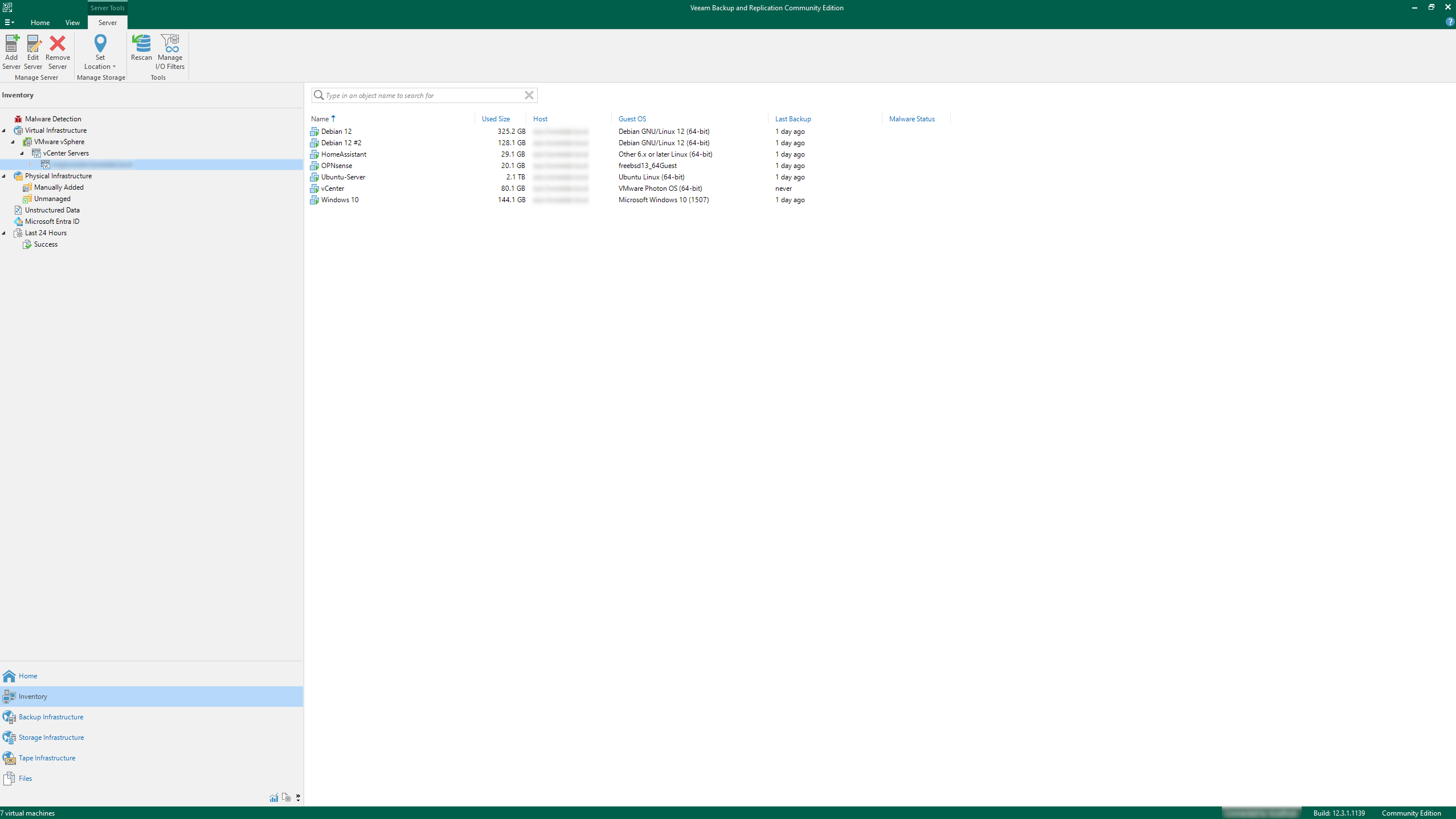
The setup began by installing Veeam Backup Manager on my local Windows PC, configuring it to interface directly with my VMware vCenter virtual machine. vCenter serves as the centralized management platform, providing detailed insights and control over the virtual machines hosted on my Dell PowerEdge R730.
After successfully connecting Veeam Backup Manager to vCenter, I configured individual backup jobs for each virtual machine. Each backup job was scheduled to run automatically at regular intervals, ensuring that virtual machines are consistently protected without manual intervention.
Backup configurations included incremental backups to optimize storage usage and minimize network bandwidth impact. This approach allows rapid backups while ensuring the ability to quickly restore data to a specific point in time, significantly reducing recovery times and data loss.
Veeam Backup Manager’s user-friendly interface streamlined the setup and monitoring of these backup jobs, enabling easy verification of backup status, identification of issues, and detailed reporting on backup performance and storage usage.
The backups are stored securely, allowing quick and easy restoration of virtual machines or individual files as needed. This ensures that any disruption can be addressed swiftly, restoring operational capability with minimal downtime.

Conclusion
Utilizing Veeam Backup Manager to automate backups for virtual machines hosted on my Dell PowerEdge R730 provides a comprehensive and reliable backup solution. Integrated with VMware vCenter, this setup ensures efficient management, secure backups, and rapid recovery capabilities, greatly enhancing my homelab’s resilience and data protection strategy.